Pompilia
Sunday, November 1, 2026

Tuesday, November 3, 2026
-
Learn the accessibility requirements for making your Canvas courses accessible. This hands-on workshop will cover using the Canvas editor to create navigable pages, writing effective alt text description for images, charts, and graphs, ensuring readable color contrast, creating accessible tables and links, and using Canvas accessibility tools to fix common issues.
-
This hands-on workshop covers what makes digital math accessible for all learners, including major accessible math formats, accessible math tools, structuring workflows to deliver accessible math, and how digital math interacts with platforms like Canvas, Jupyter Notebook, MS Office documents, and webpages. See full description for free software requirements.
Thursday, November 5, 2026
-
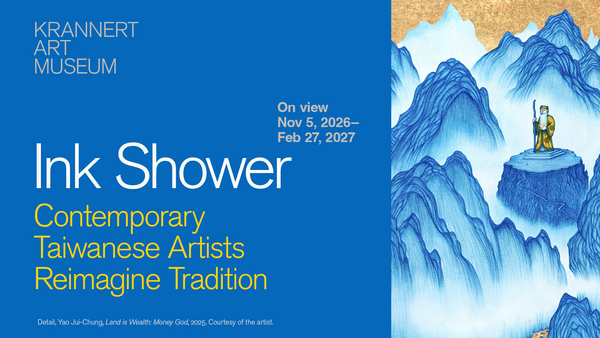
Opening day for the new exhibition "Ink Shower: Contemporary Taiwanese Artists Reimagine Tradition," curated by Kai-Ching Hsiao and Maureen Warren. On view through February 27.
-
Fairview by Jackie Sibblies Drury Geovonday Jones, director


Friday, November 6, 2026
-
Fairview by Jackie Sibblies Drury Geovonday Jones, director

-
By Jane Austen adapted by Jessica Swale Nisi Sturgis, director

Saturday, November 7, 2026
-
Fairview by Jackie Sibblies Drury Geovonday Jones, director

-
By Jane Austen adapted by Jessica Swale Nisi Sturgis, director


Monday, November 9, 2026
-
Jeremy Benton, stage director and choreographer Michael Tilley, music director

Tuesday, November 10, 2026
-
Get up to speed quickly on the basics of making PDF documents accessible for all while meeting state and federal accessibility standards. For hands-on participation, you will need Adobe Acrobat Pro (not Acrobat Reader). U of I, UIS, and UIC faculty and staff can obtain Acrobat Pro free from the U of I Webstore: https://webstore.illinois.edu/shop/product.aspx?zpid=7227
-
Jeannette Sorrell, conductor and harpsichordist Jeanine De Bique, soprano

-
Jeremy Benton, stage director and choreographer Michael Tilley, music director

Wednesday, November 11, 2026
-
Fairview by Jackie Sibblies Drury Geovonday Jones, director

-
By Jane Austen adapted by Jessica Swale Nisi Sturgis, director


Thursday, November 12, 2026
-
SPEAK stands for Song, Poetry, Art, and Knowledge. It is an open-mic public performance space at Krannert Art Museum curated by local artist, Shaya Robinson, featuring guest performers and welcoming all to the mic.

-
Fairview by Jackie Sibblies Drury Geovonday Jones, director

-
By Jane Austen adapted by Jessica Swale Nisi Sturgis, director

-
Jeremy Benton, stage director and choreographer Michael Tilley, music director


Friday, November 13, 2026
-
Fairview by Jackie Sibblies Drury Geovonday Jones, director

-
By Jane Austen adapted by Jessica Swale Nisi Sturgis, director

-
Jeremy Benton, stage director and choreographer Michael Tilley, music director


Saturday, November 14, 2026
-
Fairview by Jackie Sibblies Drury Geovonday Jones, director

-
By Jane Austen adapted by Jessica Swale Nisi Sturgis, director

-
Jeremy Benton, stage director and choreographer Michael Tilley, music director


Tuesday, November 17, 2026
-
Get up to speed quickly on the basics of making PDF documents accessible for all while meeting state and federal accessibility standards. For hands-on participation, you will need Adobe Acrobat Pro (not Acrobat Reader). U of I, UIS, and UIC faculty and staff can obtain Acrobat Pro free from the U of I Webstore: https://webstore.illinois.edu/shop/product.aspx?zpid=7227

Wednesday, November 18, 2026
-
Get up to speed quickly on making your Microsoft Word documents accessible for everyone while meeting state and federal accessibility standards. In this hands-on workshop, we’ll start with a brief overview of common accessibility challenges in Word and then jump right into practice.

Tuesday, November 24, 2026
-
Get up to speed on using the Pope Tech Canvas Accessibility Guide to make Canvas pages more accessible for everyone! In this hands-on workshop, we’ll start with an overview of the Pope Tech Canvas Accessibility Guide, how it functions, what the various errors, alerts, structural elements, and features mean, and how to fix these issues on a Canvas page.